People productive from day one
Communication, training and Viva learning content start before the move, not after. That avoids the classic post-migration productivity dip.
Email, files and Teams move to Microsoft 365 in planned waves. Preflight, cutover, validation and hypercare make dependencies and exceptions visible.


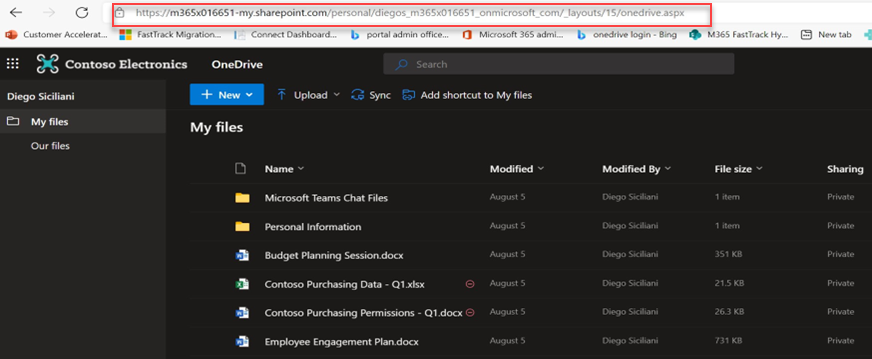 OneDrive MigrationThe source environment and data scope are visibly reviewed before migration.
The example makes dependencies, technical limits and the planned transition through hypercare visible.
Mailboxes, files, permissions and special cases are recorded and assigned to the appropriate migration paths.
OneDrive MigrationThe source environment and data scope are visibly reviewed before migration.Communication, training and Viva learning content start before the move, not after. That avoids the classic post-migration productivity dip.
We train internal champions and set up office hours so knowledge stays in-house. Your SME does not stay dependent on the partner forever.
Many projects move data cleanly on the technical side, yet afterwards people hunt for their files, the helpdesk drowns in tickets and productivity dips. Tool vendors talk fidelity, consultants talk culture, but almost nobody honestly joins the two. And almost nobody tells you in advance what does not migrate cleanly.
A visible change, not another tool rollout.
Preflight · Wave plan · Exceptions · Training · Hypercare
Technical planning and adoption are documented in one coordinated project package.
Technical limits and exceptions are documented before cutover and included in the acceptance process.
We set up Microsoft 365 with data residency in Switzerland (data centres in Geneva and Zurich) and preserve retention and sensitivity settings throughout the migration. The whole project follows revDSG and GDPR, and the enablement materials are in German.
Teams private chats, version history, shared mailbox delegations, external sharing links and Power Automate flows have technical limits. We make these points transparent up front and plan how to handle them, rather than promising a perfect 1:1 copy.
No. A partner or CSP change moves neither your tenant nor your data; the tenant stays where it is. A true tenant-to-tenant migration is a separate, larger project, for example after a merger or carve-out.
Microsoft requires a one-time per-user migration license for cross-tenant migration, assignable on the source or target object; the same license also covers OneDrive. We show these costs transparently from the start.
Whether it's migrating to Microsoft 365, zero-trust security or a Copilot rollout — together we'll find the right path.