Knowledge becomes findable
SharePoint as an intranet turns scattered file shares into a searchable knowledge base. Once something is documented, everyone finds it again without asking.
Outlook, Teams, Excel and SharePoint become one connected workflow: one file, clear access and traceable versions. We design the technology and adoption together.


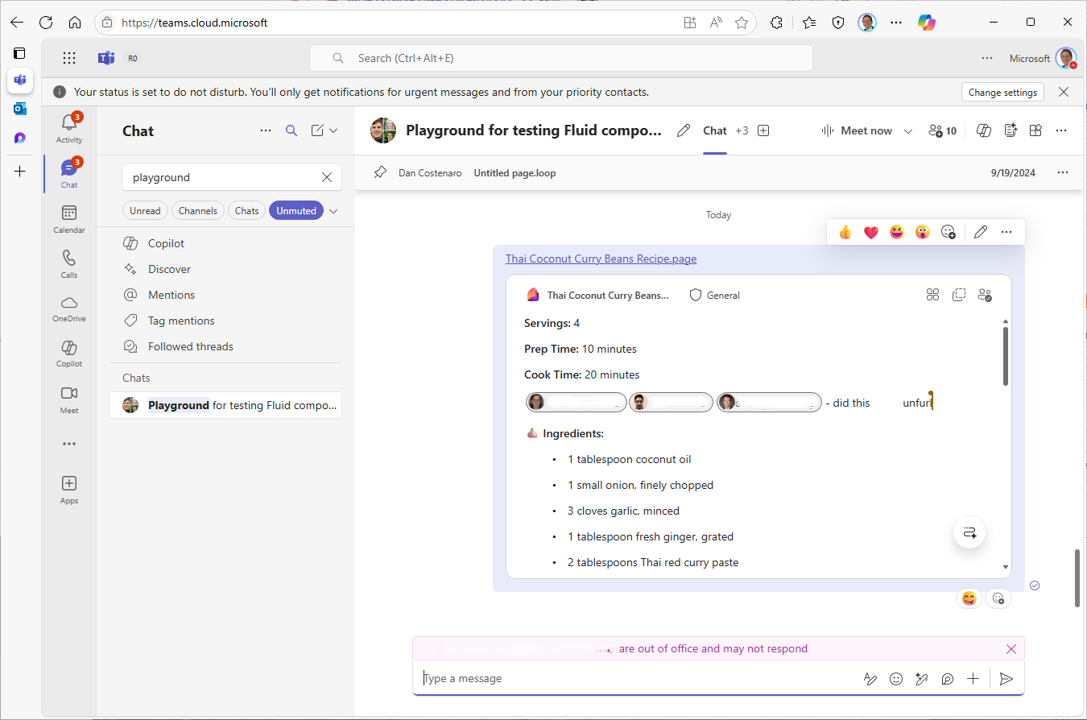 Microsoft TeamsThe same work item can be edited together inside a Teams chat.
Three real work steps show how information arrives, is edited together and is shared with control.
Email, meeting and attachments remain traceable before the work moves into the shared workspace.
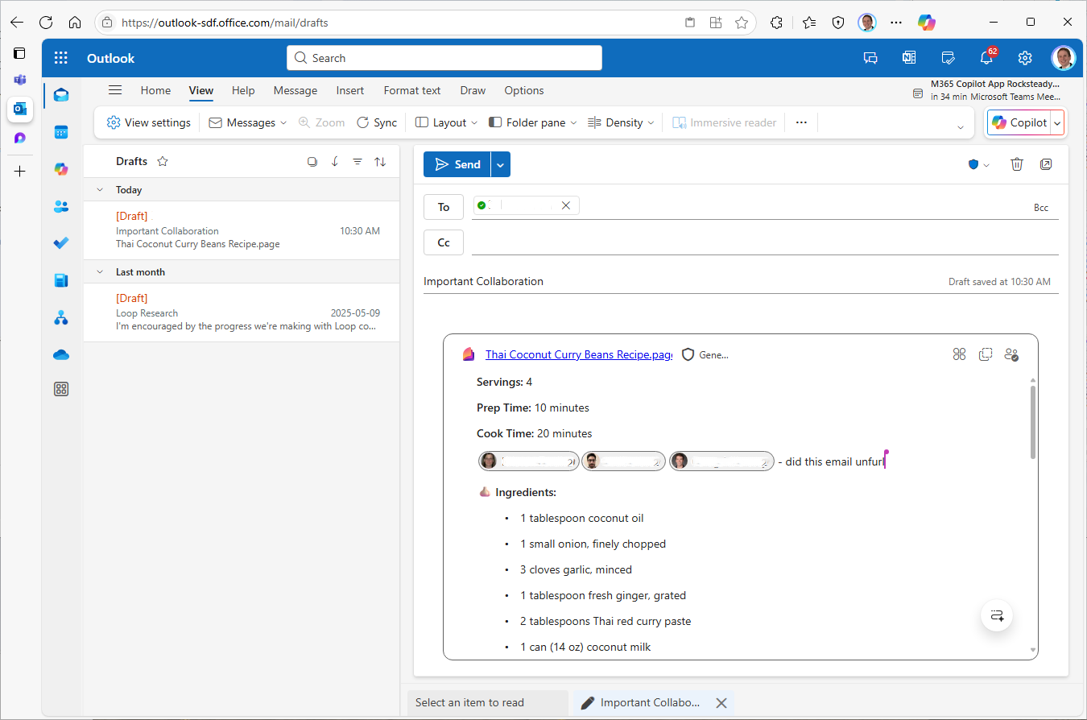 Microsoft OutlookA shared Loop component remains editable directly inside the email draft.
SharePoint as an intranet turns scattered file shares into a searchable knowledge base. Once something is documented, everyone finds it again without asking.
With governance over Microsoft 365 Groups, such as expiration dates, naming rules and blocked words, we keep the number of teams and permissions under control before it gets messy.
The current offer exists in three versions as email attachments, the knowledge sits in a few people's heads, and nobody finds the right document. At the same time, teams and groups grow unchecked, and external partners keep access that no one reviews anymore. This costs time every day and creates risks you only notice once it's too late.
A visible change, not another tool rollout.
Teams · SharePoint · Guest access · Governance
A concrete target structure for workspaces, files, guests and governance.
Workspaces, files, guests and sharing rules are tailored to your organisation during the workshop.
Core Microsoft 365 data can be stored in the Microsoft Switzerland regions (Zurich, Geneva) via Advanced Data Residency. Not every service is fully covered, and data residency alone is not compliance. We show you honestly what sits in Switzerland and what doesn't, and set up collaboration in line with revDSG and GDPR.
Yes, with Teams Phone telephony can be integrated into Teams. It's an add-on licence, and whether the switch pays off depends on your current telephony. We work through it soberly with you rather than recommending it across the board.
Through governance of Microsoft 365 Groups with expiration dates, naming rules and blocked words. We set it up to fit the size of your SME, lean enough not to get in the way day to day, but consistent enough to prevent sprawl.
No. The technology is set up quickly, but collaboration only changes when your people come along. We support the rollout with clear structures and training, so the tools turn into real, lived practice.
Whether it's migrating to Microsoft 365, zero-trust security or a Copilot rollout — together we'll find the right path.